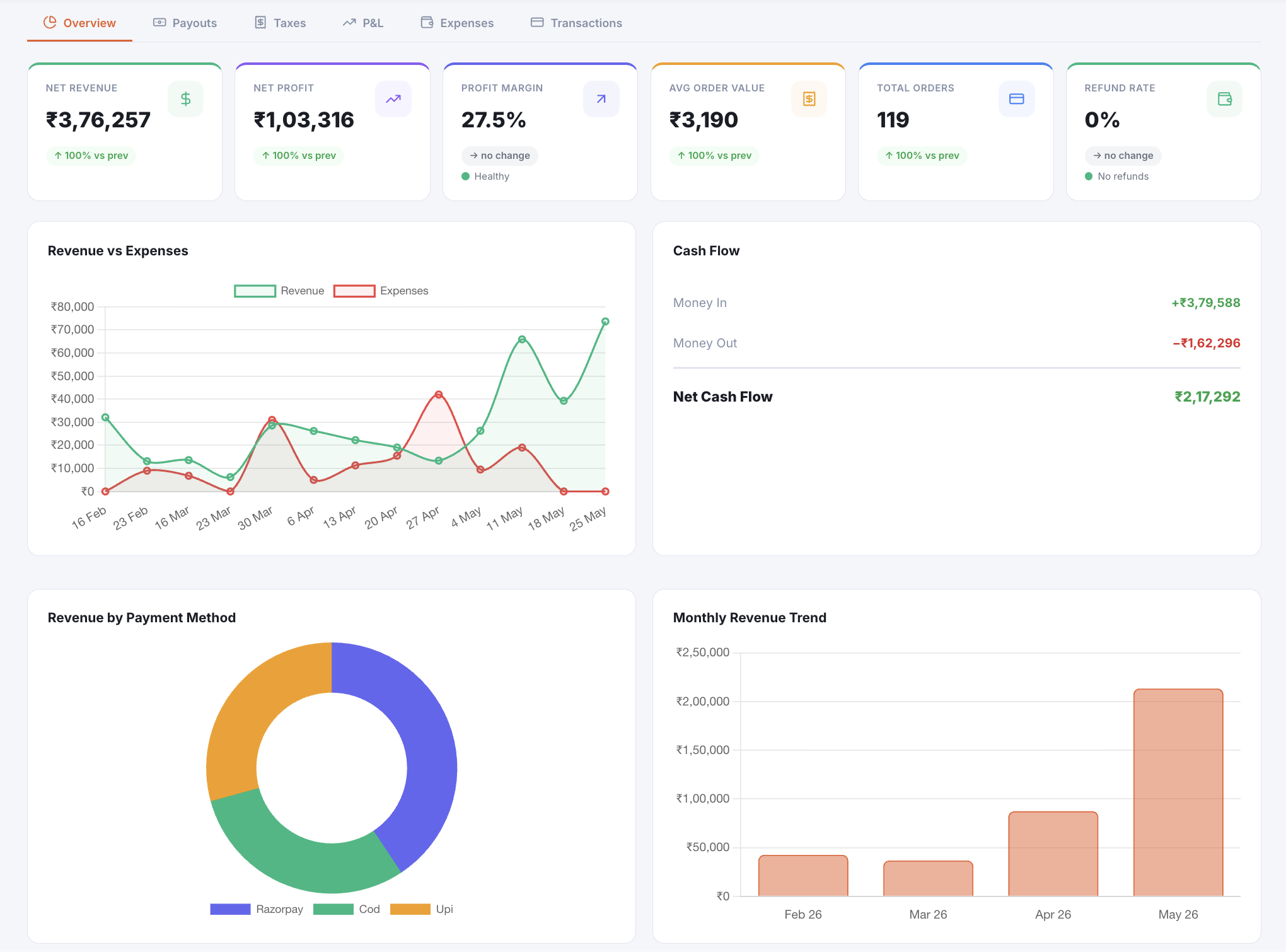
Revenue going up feels good.
But revenue isn't profit.
Your dashboard says ₹8 lakh this month. But after product costs, shipping, Razorpay fees, returns, and ad spend — what actually landed in your bank?
Revenue vs what you actually keep
Illustrative — your real chart shows your actual data
Four things that add up to clarity
Live profit & loss
Revenue minus product cost, minus shipping, minus payment processing fees, minus returns — updated every time an order is placed or fulfilled. Not a monthly spreadsheet.
- True profit after COGS
- Shipping costs deducted
- Razorpay fees shown as a line item
- Returns and refunds subtracted
Expense tracking
Add your recurring expenses — ads, tools, rent, salaries — and see them reflected in your real margin. No separate accounting tool needed.
- Monthly recurring expenses
- One-time costs
- Category grouping
- Impact on profit shown live
Payout management
Track every payout from Razorpay. Reconcile automatically. Know exactly what hit your bank and when.
- Payout timeline
- Auto-reconciliation
- Settlement tracking
Tax-ready reports
GST breakdown, tax zone reports, export-ready data for your CA. Compare any two periods side by side.
- GST summary per period
- Tax zone breakdown
- Period comparison
- Export to CSV
Stop guessing. Start knowing.
Make pricing decisions with real margins
When you know your true margin per product, you can price confidently — not by gut feel.
Catch margin leaks early
Shipping cost rising? Returns spiking? You'll see it in your P&L the same day, not at month-end.
Answer "how's business?" honestly
Not "revenue is up." Instead: "profit is ₹2.4L, margin is 27%, up from 24% last month."
Connects to the tools you already use
Try it with your own products.
Free trial — no credit card, your real catalogue, your real numbers.
No credit card required · Setup in an afternoon